v1.1 Native macOS · Built for Apple silicon

Drop in a folder.
Get back exactly the sizes you need.

Frostbatch is a macOS app for resizing, converting and compressing images in batches. Set a width, pick a format, or tap a preset for wherever the images are going. It writes the whole set in one pass, on your machine.

◇ macOS 13+ ◇ Universal Binary ◇ Mac App Store ◇ Pay once, own forever
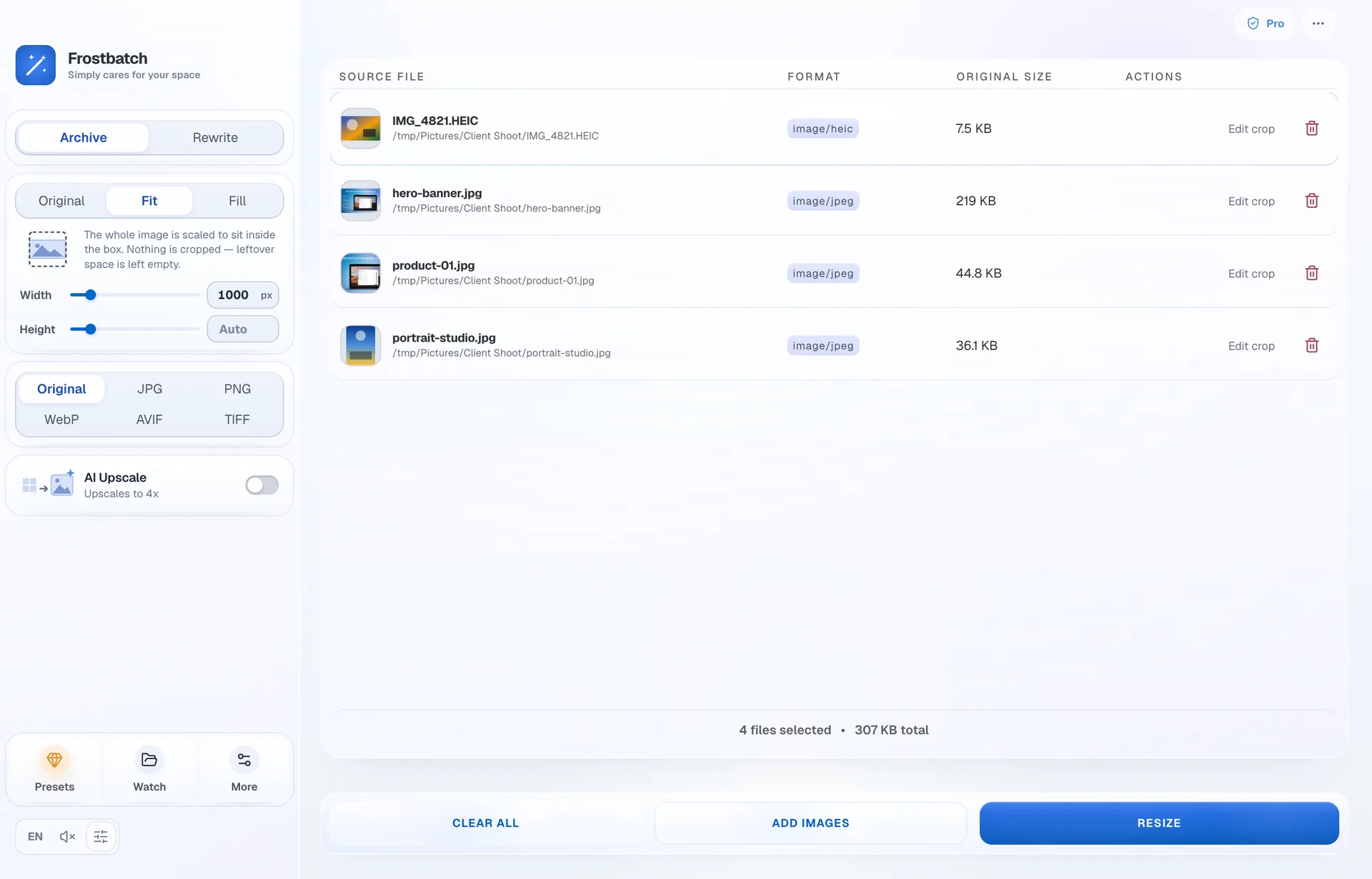
Frostbatch with four images queued: an iPhone HEIC, a hero banner, a product shot and a portrait. The sidebar shows Archive, Fit at 1000px, output format and AI upscale.
Features

What Frostbatch does

Four settings decide the output: where it goes, what shape it is, what format it is written in, and whether to upscale first. Everything else stays out of the way until you need it.

AI upscaling, on device

Real‑ESRGAN rebuilds detail at 4× before the resize, on your Mac's GPU. Two models: Photo for camera work, Illustration for flat art and line work. Slow, and worth it when the source is small.

Photo Illustration Nothing uploaded

56 presets, 11 bundles

Web development, e‑commerce, blogging and social, photography, office. A preset loads its numbers straight into the sidebar, so you can see what it will do and change it. A bundle writes several sizes from one source in a single run.

Retina @2x OG image Favicon set Amazon Instagram

Watch folders

Point Frostbatch at a folder and anything dropped into it is processed on arrival, with your current settings or a separate set saved for that folder.

Metadata stays yours

Strip EXIF, GPS and camera data before you share. Nothing is uploaded; there is no account and no server.

Rename on export

Give the batch a filename pattern. {name} keeps the original, so {name}@2x turns hero.jpg into hero@2x.jpg.

Crop before the batch

Drag a frame on any single image. The crop is applied before the resize and stays saved if you reopen it.

Screens

The app, as it actually looks

Captured from the shipping build, not mocked up.

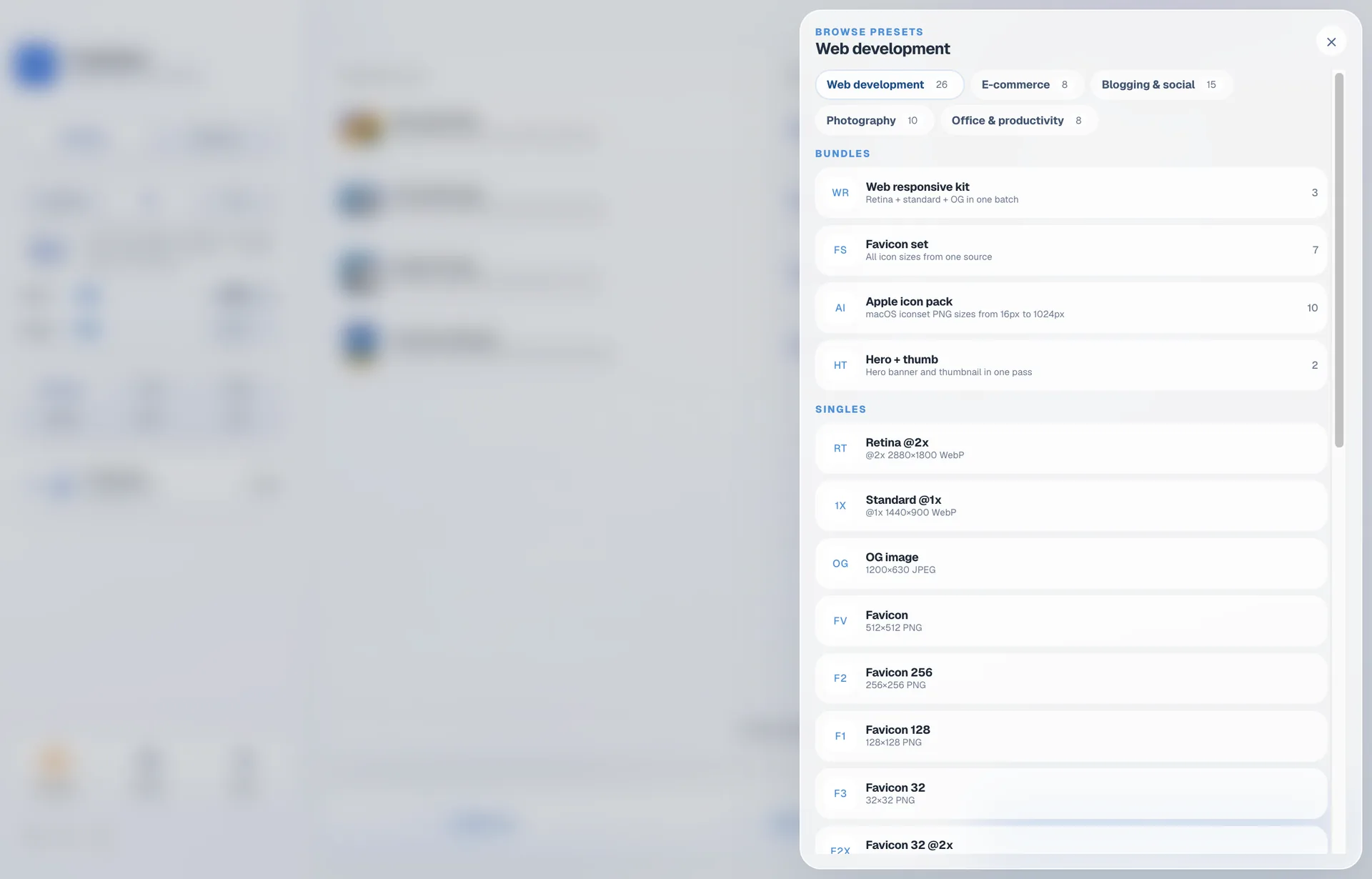
The preset browser open on Web development, showing bundles such as Favicon set and Apple icon pack alongside single presets with their exact output sizes.
PresetsEvery preset shows the size and format it will write. Bundles produce several files from one source.
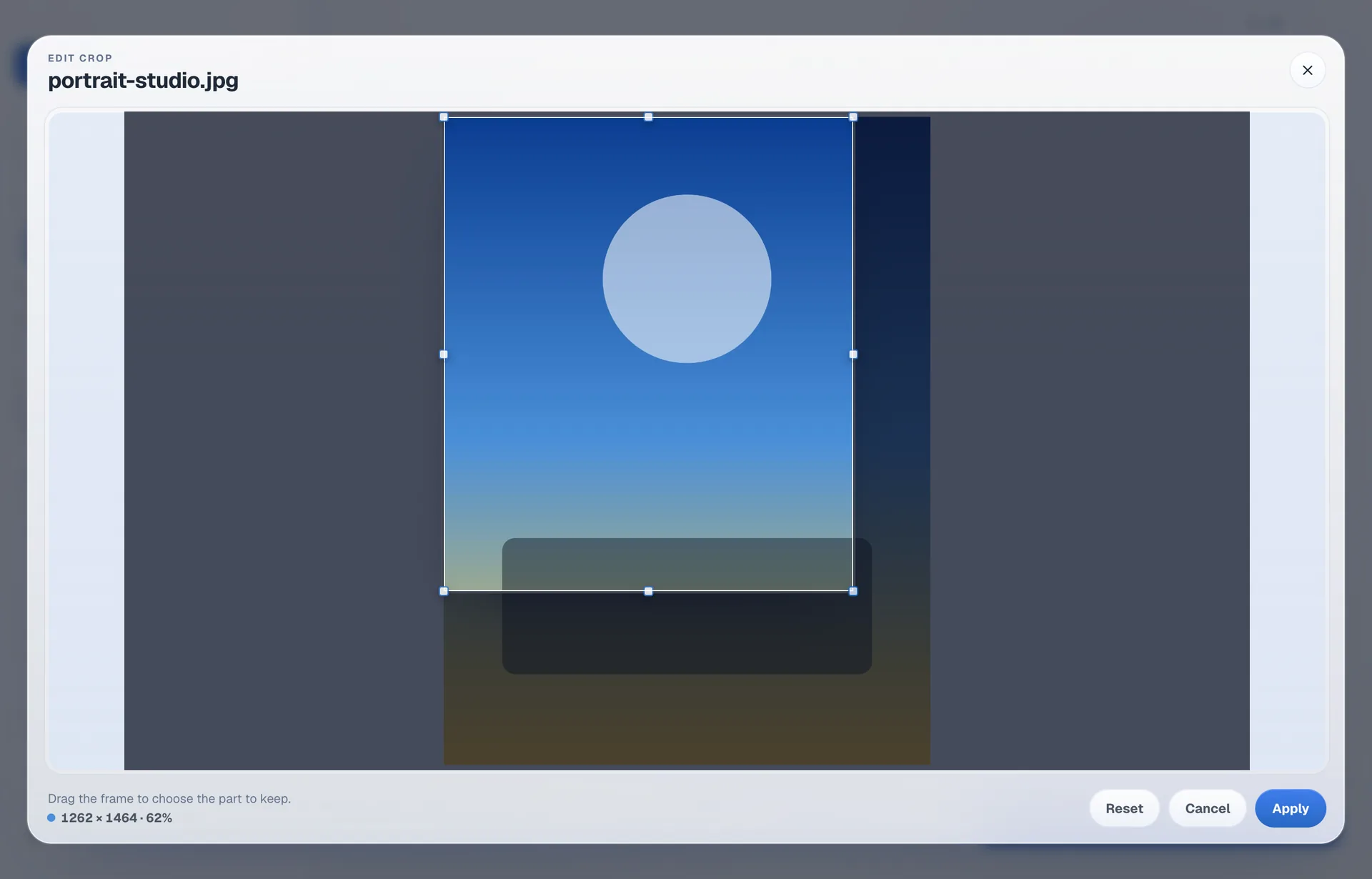
The crop editor with a frame drawn over a photo and a readout showing the kept pixel size and what share of the source it is.
Crop editorDrag a frame on one image. The readout says what you are keeping, in pixels.
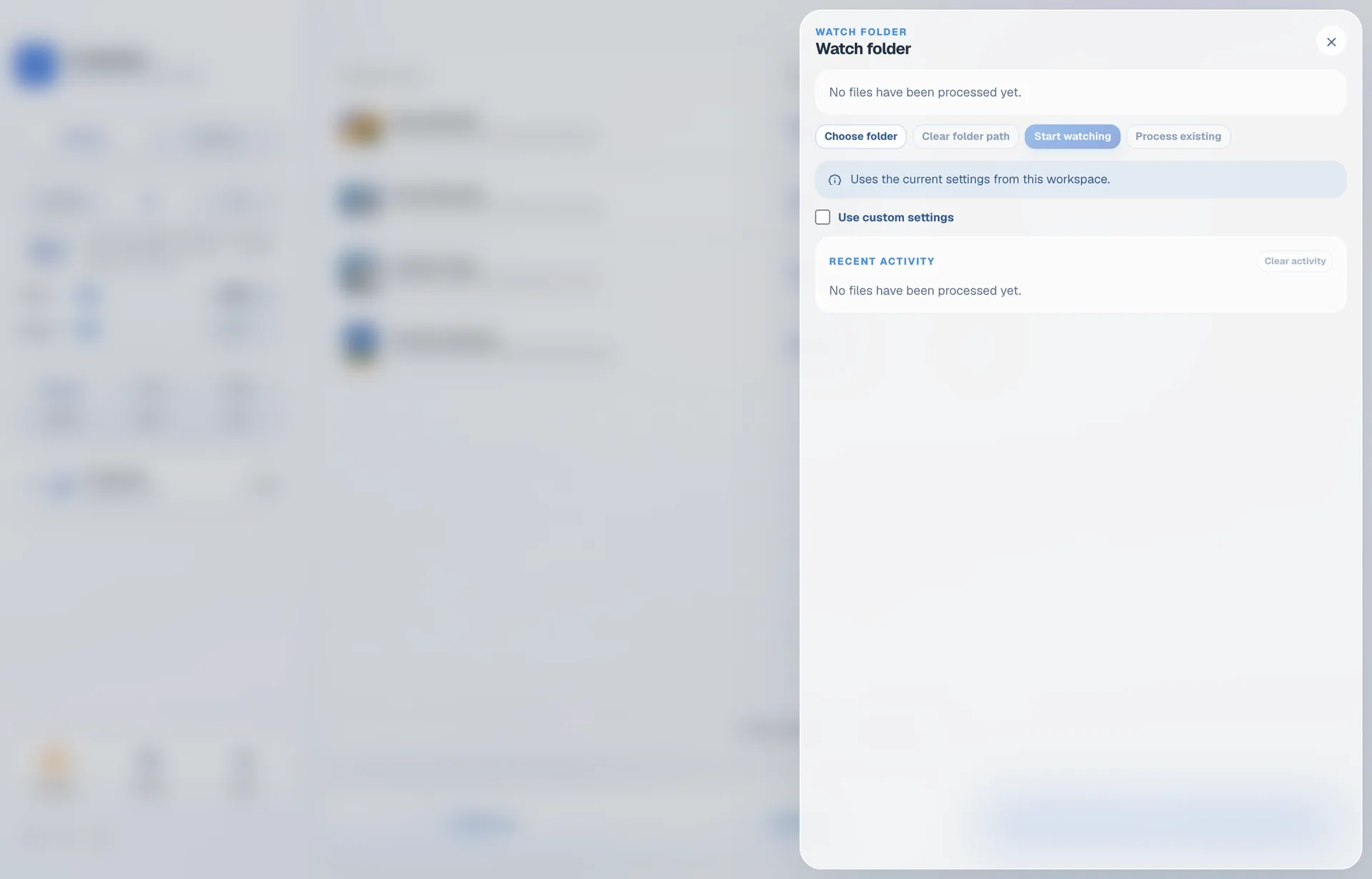
The watch folder panel, with a folder chosen, recent activity listed, and a toggle for using settings specific to that folder.
Watch foldersPoint it at a folder. Anything dropped in is processed on arrival.
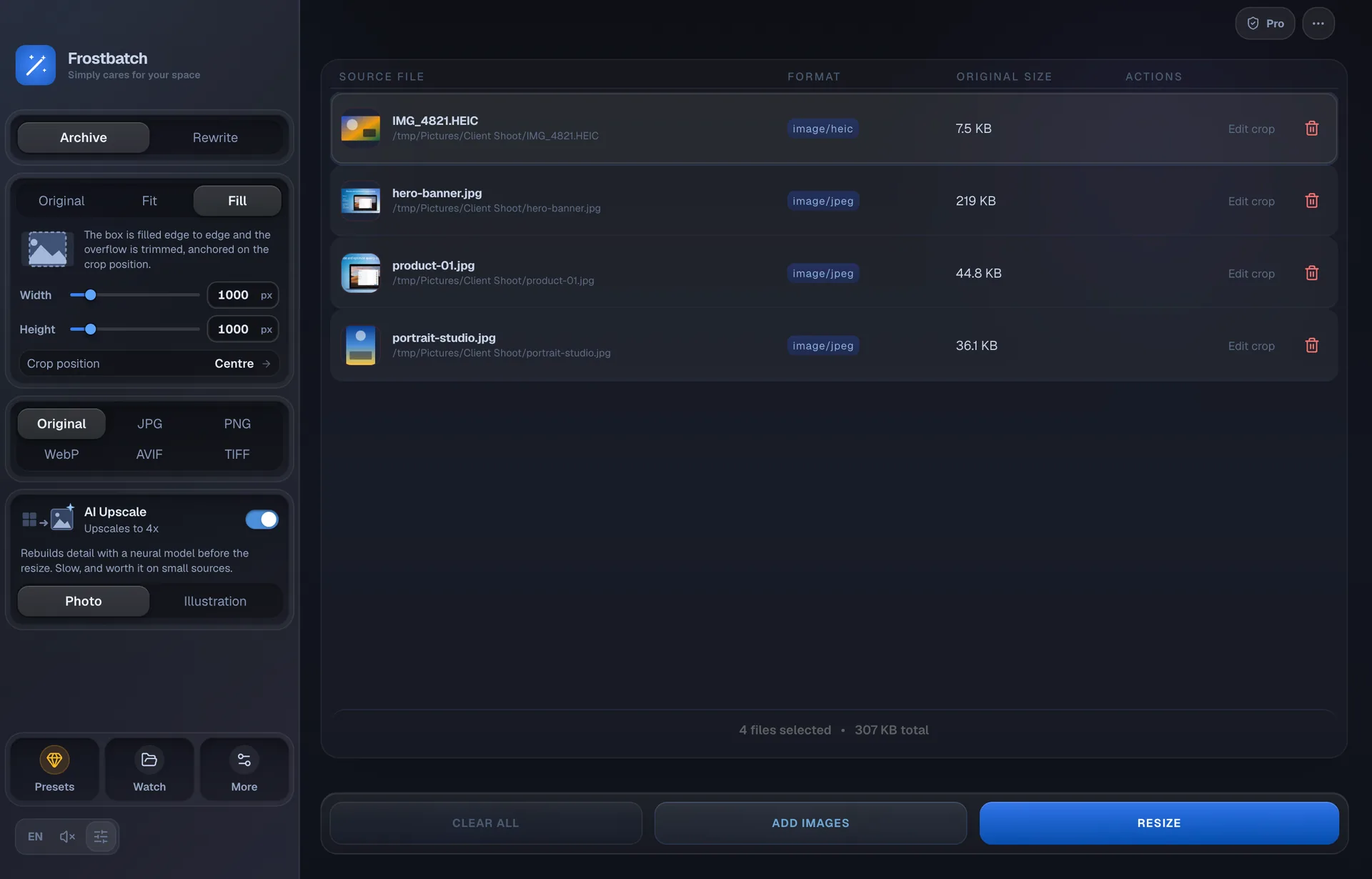
The same workspace in dark mode, with Fill selected at 1000 by 1000 and AI upscaling switched on using the Photo model.
Dark modeFollows the system appearance, or pin it to light or dark in preferences.
Formats

Six formats in, five out.

HEIC from an iPhone opens like anything else, and writes out as JPEG when you ask for the original format, since there is no HEIC encoder to write back to.

JPG PNG WebP AVIF TIFF HEICinput
Pricing

Five days free, then $9.99 once

Five days of the full app, then $9.99 through the App Store. No subscription, no credits, no account.

5‑Day Trial
Start with the trial

The whole app for five days. No card, no account, nothing to cancel.

Free no payment required
  • Every preset and every format
  • Watch folders and AI upscaling included
  • Anything you export is yours to keep
Start the free trial
Secure payment Apple handles the checkout. The licence is stored on your Mac and works offline.
Works offline No account, no server, no upload. Images never leave your Mac.
Light and dark Follows the system appearance, or pick one and stay there.
Questions

Questions people ask

Is Frostbatch a subscription?

No. It is $9.99 once, through the Mac App Store, and the app is yours. There is no account to make and nothing to renew.

What happens after the trial?

You get five days of the full app. After that, starting a new batch asks you to unlock it for $9.99. Nothing you have already exported is touched, and there are no prompts before the five days are up.

Do my images get uploaded anywhere?

No. Every resize, conversion and upscale runs on your Mac. The AI model ships inside the app, so upscaling works with the Wi-Fi off. Frostbatch has no analytics, no telemetry and no server of its own.

What does AI upscaling actually do?

It runs Real-ESRGAN over each image at 4× before the resize, which rebuilds detail rather than stretching pixels. Two models are bundled: Photo for camera work, Illustration for flat art and line work. It is much slower than a plain resize, and it earns that time on small sources, not on a 4000px original.

Will it run on my Mac?

It needs macOS 13 (Ventura) or newer. It is a Universal Binary, native on Apple silicon and Intel. Upscaling uses the GPU where there is one and falls back to the CPU otherwise.

Can I get it outside the App Store?

Not at the moment. The Mac App Store is the only place to buy it.

Which formats can it read and write?

It reads JPG, PNG, WebP, AVIF, TIFF and HEIC, and writes the first five. Pick Original to keep each file's own type; HEIC is the exception and comes out as JPEG, because there is no HEIC encoder to write back to.

Where do the resized files go?

Either into a zip you choose the location for, or over the originals in place if you pick Rewrite. The zip is named batch- plus a timestamp by default, and you can change that prefix.
Stop resizing images one at a time.

Five days free, then $9.99 once. macOS 13 or newer.