56 presets, 11 bundles, no remembering
Nobody should have to hold the right dimensions for an Open Graph image in their head. Pick where the image is going and the numbers fill themselves in — visibly, in the same fields you would have typed them into.
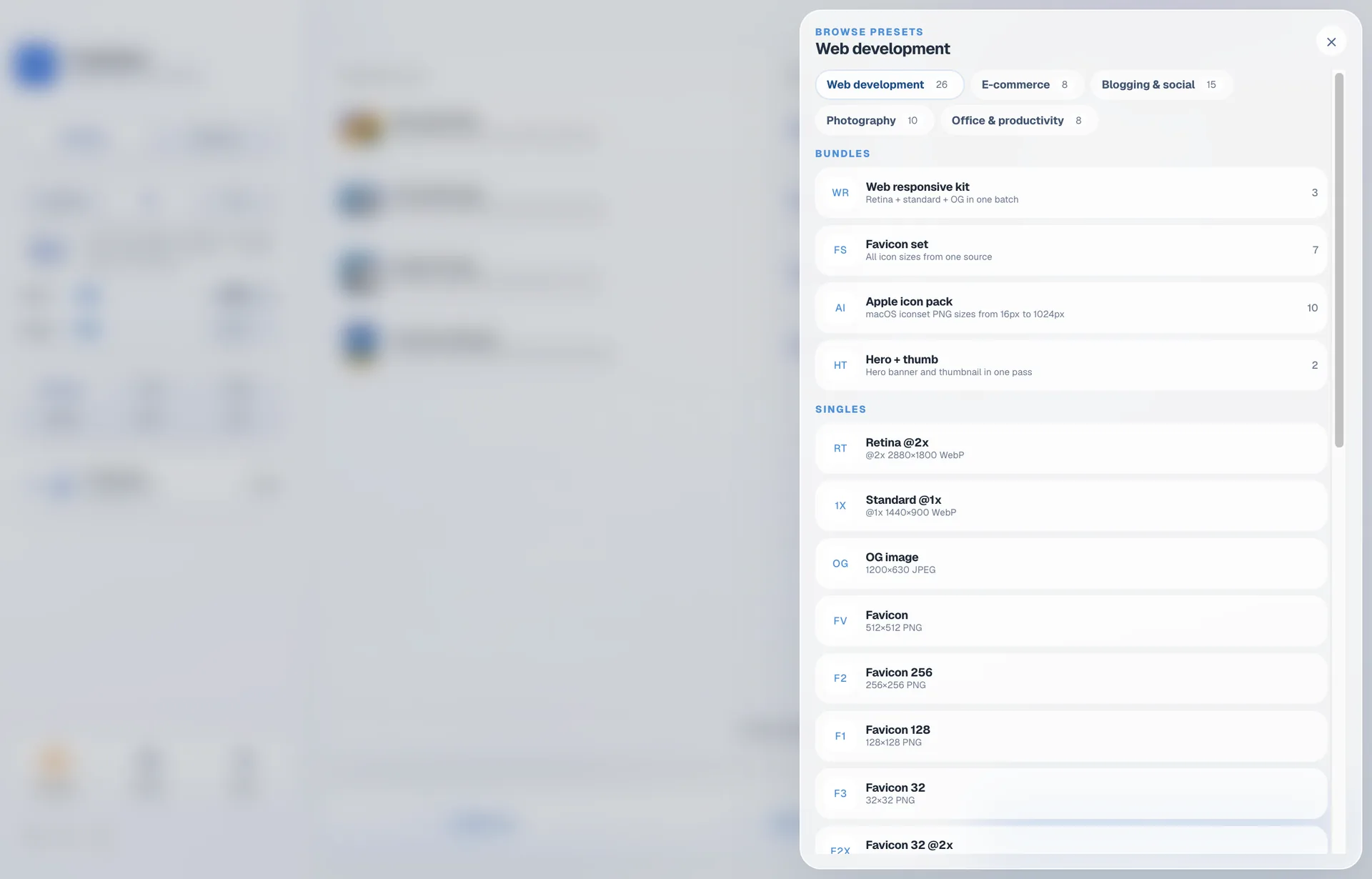
Five places images tend to go
Web development
Retina @2x assets, Open Graph images, favicon sets, hero and content widths.
E-commerce
Product and listing sizes for the major marketplaces.
Blogging and social
Post images, thumbnails and the aspect ratios each network expects.
Photography
Portfolio and proof sizes, and long-edge limits for submissions.
Office
Sizes that behave inside documents and slide decks.
Bundles: several files, one source
Some targets are not one size. A favicon set is a handful of squares; an app icon pack is more. A bundle takes one image and writes the whole set in a single run, so you are not applying five presets by hand and keeping track of which you have already done.
11 bundles ship with the app, alongside the 56 single presets.
A preset is a starting point, not a lock
Applying a preset writes its values straight into the settings you can see. Two things follow from that, and both matter:
- Nothing is hidden. What the sidebar says is what the batch will do. There is no separate preset state quietly overriding the fields in front of you.
- You can edit it. Change any value the preset set and it simply stops being the active preset. The batch is yours.
If you would rather set the numbers yourself from the start, that is just the ordinary resize — presets are a shortcut to it, not a different mode.
| Single presets | 56 |
|---|---|
| Bundles | 11, each writing several files from one source |
| Categories | Web development, e-commerce, blogging and social, photography, office |
| Smallest size | 16px favicons, with no artificial floor below that |
| Editable | Yes — values load into the visible settings |
Preset questions
What is the difference between a preset and a bundle?
A preset is one output size. A bundle is a set of them: one source image goes in and several files come out in a single run, which is how favicon sets and multi-density app icons work.
Can I change a preset after applying it?
Yes. A preset loads its values into the settings you can see, so nothing is hidden. Edit any of them and the batch is yours again — the preset simply stops being the active one.
Do presets cover very small sizes?
Yes. The catalogue includes 16px favicons, and there is no minimum dimension standing in the way.
Keep reading
Pick the destination, not the pixels
Five days free, then $9.99 once. macOS 13 or newer.